

Gives users the possibility to have better control over their video stream while chatting. It records videos, takes snapshots, and provides all the camera-related functions like tilting, zooming, color, gamma correction, face tracking.
Dell Webcam Central, developed by Creative Technology for Dell, is a free available for download program. It is intended to be used only on specific Dell Notebooks with compatible hardware and does not work on other computers.
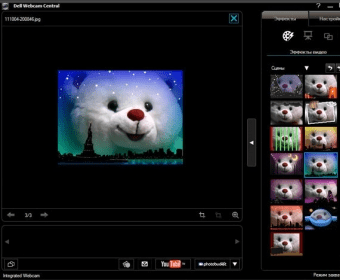
Dell Webcam Central is a program which enables the user to take snapshots, record videos and use videos in chat programs. The main screen has two tabs:
Snap Photos: Pictures can be taken with this option. Further settings available are Photo Size (the default is max-640x480), Self Timer and Burst Rate.
Advanced options include File Format (.jpeg/.bmp) and options to add date and time stamps to pictures.
Record Videos: Videos can be recorded with this option. The settings available are Video Size (the default is max-640x480), Self Timer and Microphone Settings.
Advanced options include Video Format (.wmv/.avi) and an option limiting the video clip duration. When selected, .avi option also shows the audio and video compression options.
General Settings Tab. This setting has the following options: Picture Control - Flicker Control with frequency settings, and video control with backlight, brightness, contrast, Color & Gamma; Face Tracking - Enable/Disable Face Tracking with tracking speed adjustments; Pan & Zoom - Zoom control and Pan & Tilt options.
The tab "Show Todays Captures" has options to Upload pictures to Photobucket, Send by e-mail and Print directly. Another feature "Video Stitch" can be used to combine pictures which can be played as a video file.
The size of a picture when saved as a .jpeg is about 75kb and when saved as a .bmp is about 900k. The size of a 20-sec video when saved as a .wmv is about 2MB and when saved as an .avi with default compression is about 500MB. The Tray Icon has options to Launch the application, and set default options like Start Webcam Central when Windows starts, Enable Mini-mode viewer, and so on.





Comments (66)